The best e-signature software for small businesses in 2026, compared
SignKnox, DocuSign, Adobe Acrobat, Dropbox Sign, PandaDoc and signNow compared on price, document limits and features, with honest pros and cons for each.

Choosing e-signature software looks simple until you compare plans. Prices are per user on some tools and per team on others, some count every document you send, and the features small firms care about most, like collecting a deposit or sending to a list, often sit on a higher tier.
We compared six options on what matters to a firm of 1 to 20 people: what you'll actually pay, how many documents you can send, and which features are included.
We make SignKnox, so we're not neutral, and we've said so wherever it matters. Every competitor price below comes from that company's own pricing page, checked in November 2026, billed yearly unless we say otherwise. Prices change, so check before you buy.
The short version
- Best for most small firms: SignKnox. Flat team pricing, unlimited documents and payments at signing from the Team plan.
- Best known, most features: DocuSign. Strong, but priced per user with an envelope cap.
- Best if you also edit PDFs: Adobe Acrobat for teams.
- Simple and unlimited for very small teams: Dropbox Sign.
- Best for building proposals and quotes: PandaDoc.
- Lowest starting price: signNow, with a limited number of signature invites.
What a five-person firm pays
Here is roughly what five people would pay per month, billed yearly, for a plan that includes sending at volume and collecting payments where it's offered:
- SignKnox Team: $49 a month for the whole team, unlimited documents
- DocuSign Business Pro: $200 a month ($40 per user), 100 envelopes per user a year
- Adobe Acrobat Pro for teams: about $120 a month ($23.99 per license)
- PandaDoc Business: $245 a month ($49 per seat)
- Dropbox Sign Standard: $25 per user a month, but the pricing page asks teams of 5 or more to contact sales
- signNow Business Premium: $20 a month with unlimited users, but about 100 signature invites a year
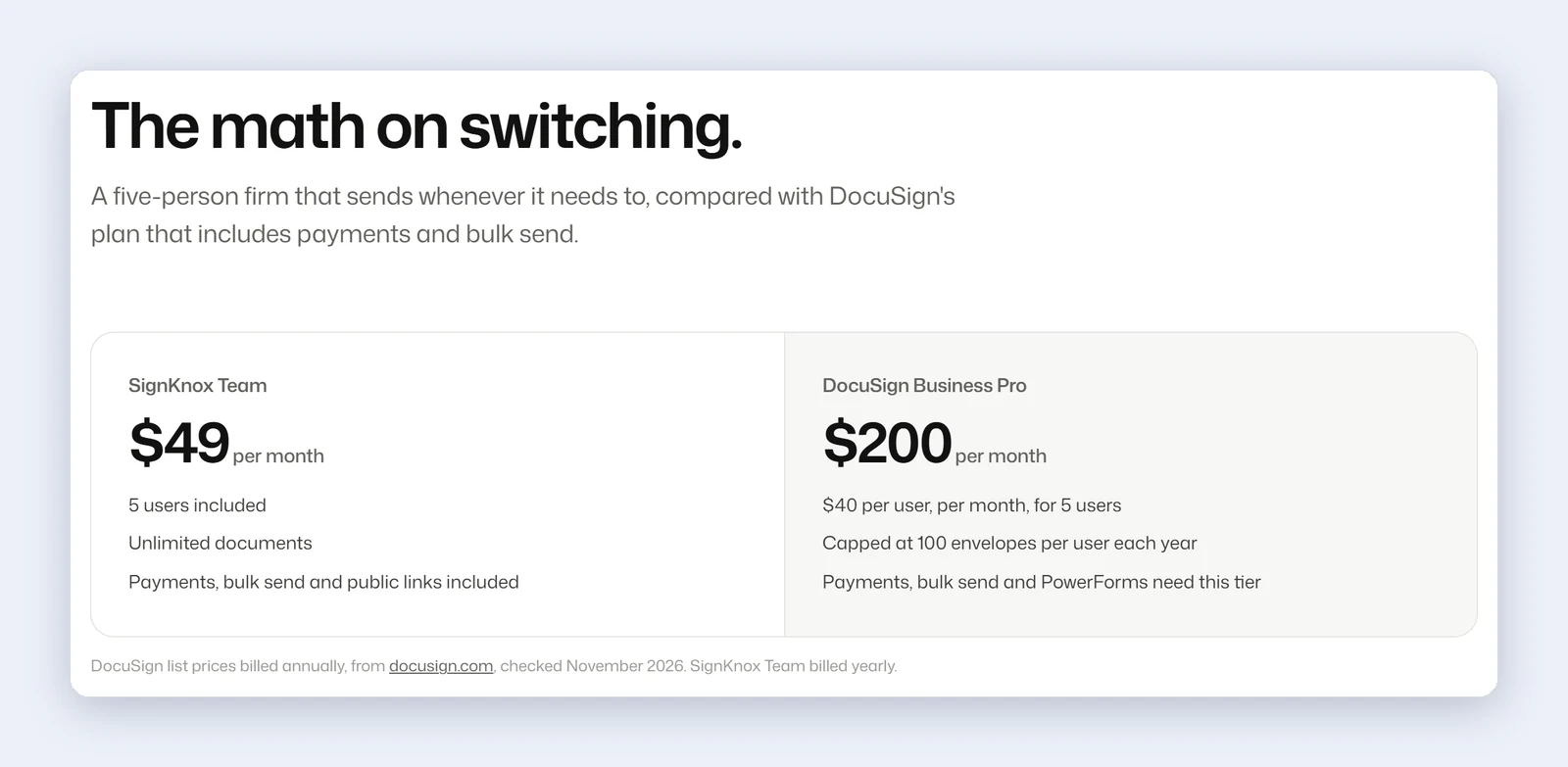
Five people, billed yearly: SignKnox Team next to DocuSign Business Pro at list price.
1. SignKnox
SignKnox is built for firms of 1 to 20 people, like accountants, law firms, real estate agents, consultants and creative studios, that send agreements every week and want to get paid when the client signs.
Price: Solo $15 a month or $144 a year (1 person). Team $59 a month or $588 a year (up to 5 people). Business $149 a month or $1,548 a year (up to 20 people).
Pros
- Unlimited documents on every plan, with no overage charges
- One price for the whole team, not per user
- Payments and deposits at signing through your own Stripe account, with no extra fee from SignKnox (Team and up)
- Bulk send (500 at a time), public links, QR codes and kiosk mode on Team
- Signers don't need an account, signing works well on phones, and signing pages come in 9 languages
- A sealed PDF with a Certificate of Completion and a tamper-evident audit trail on every plan
Cons
- Newer and smaller than the big names, so fewer ready-made integrations
- Built for teams up to 20 people; larger organizations need a custom plan
- No built-in proposal or quote builder: you bring your own PDF
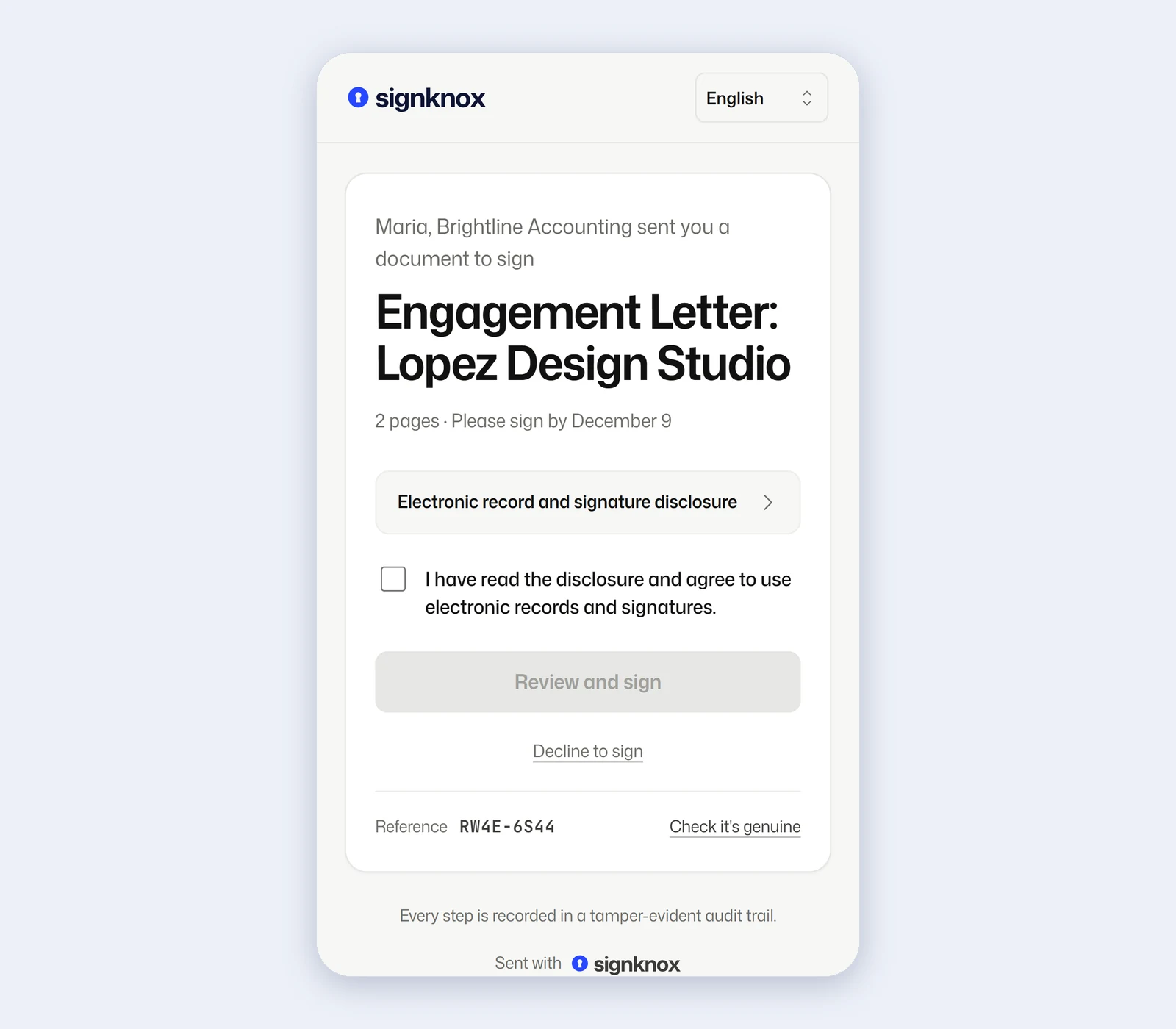
What your client sees when they open a SignKnox signing link.
2. DocuSign
The best-known name in e-signatures, with the widest set of features and integrations.
Price: Personal $10 a month (1 user, 5 envelopes a month). Standard $25 per user a month. Business Pro $40 per user a month. All billed yearly; paying monthly costs more.
Pros
- Widely recognized, so clients trust the emails
- Deep feature set and a large library of integrations
- Can grow with a company into enterprise plans
Cons
- Standard and Business Pro include 100 envelopes per user a year; extra envelopes are billed at a rate that isn't published on the pricing page
- Priced per user, so costs rise with every person you add
- Bulk send, payments and the API are only on Business Pro, the top self-serve plan
- Text message delivery and ID verification are paid add-ons
Hitting the cap is common enough that we wrote a guide: DocuSign envelope limit reached? What it costs and what to do.
3. Adobe Acrobat for teams
Adobe bundles e-signatures with its PDF editor, which is useful if your team edits PDFs every day anyway.
Price: Acrobat Standard for teams $16.99, Pro for teams $23.99 per license a month, on an annual commitment.
Pros
- A full PDF editor and e-signatures in one subscription
- Payments (through Braintree), bulk send and branding on Pro
- Familiar to almost everyone
Cons
- Annual commitment: cancelling after 14 days on monthly billing costs half of what's left on the year, according to Adobe's pricing page
- Adobe's own help pages say user licenses include 150 signature transactions per user a year, though the same page also lists these plans as unlimited
- Advanced identity checks are on separately priced Acrobat Sign plans
4. Dropbox Sign
Formerly HelloSign, Dropbox Sign is simple to use and doesn't count documents.
Price: Essentials $15 a month for 1 user. Standard $25 per user a month, minimum 2 users. Teams of 5 or more are asked to contact sales.
Pros
- Unlimited signature requests on paid plans
- Clean, simple signing experience
- Text message authentication included on Standard
Cons
- Only 5 templates on Essentials and 15 on Standard
- Collecting payments isn't listed on the plans
- The API is a separate plan, from $75 a month
5. PandaDoc
PandaDoc is a document builder first: proposals, quotes and contracts with pricing tables, plus e-signatures.
Price: Starter $25 per seat a month, Business $49 per seat a month, billed yearly, as listed when we checked.
Pros
- Excellent for building proposals and quotes from templates
- Unlimited documents created in the app
- Payments and ID verification on Business
Cons
- Starter has only 5 templates and no automatic reminders or branding
- Bulk send, forms and the API use usage credits, with overage beyond them
- The most expensive per seat in this list for a team that needs Business
6. signNow
signNow has the lowest starting price and, since early 2025, includes unlimited users on its plans.
Price: Business $8, Business Premium $20, Enterprise $30 a month, billed yearly.
Pros
- Very low entry price
- No per-seat fees
- Payments and bulk send from Business Premium
Cons
- About 100 signature invites a year on annual plans, then pay-as-you-go for extras
- Branding and text message delivery only on Enterprise
- A short 7-day trial, and its refund policy says no refund on cancelling
How to choose
Ask these four questions before you pick:
- How many documents do you send in your busiest month? If the answer is "a lot" or "it varies", avoid plans with an envelope or invite cap, or check exactly what extra documents cost.
- Do you take deposits or retainers? If yes, check that payments are on the plan you're pricing, not just the top one.
- How many people need to send? Per-user pricing multiplies quickly. Flat team pricing doesn't.
- Do you build documents from scratch? If you mainly create proposals with pricing tables, a document builder like PandaDoc may suit you. If you send finished PDFs, an e-signature tool is simpler and cheaper.
Our pick for small firms
If you send agreements every week, want a predictable bill and want to get paid at signing, SignKnox is built for exactly that: one team price, no document count, and payments from the Team plan. If you need a full PDF editor, Adobe is worth a look; if you build proposals, try PandaDoc; if you need enterprise integrations, DocuSign is the safe choice.
The fastest way to decide is to send a real document. Start a free SignKnox trial, upload your next contract and send it to yourself to see what your client sees. You can compare every plan on our pricing page.
Docusign, Adobe, Acrobat, Dropbox Sign, PandaDoc and signNow are trademarks of their owners. SignKnox isn't affiliated with any of them.